
How to Choose the Best Touch Monitor Factory?

Choosing the right Touch Monitor Factory is not a simple price comparison. It is a quality, engineering, and supply-chain decision. The global touch-screen display market continues to expand across retail, healthcare, industrial control, and transportation. Grand View Research estimates strong market growth through 2030, while MarketsandMarkets also forecasts rising demand for interactive display systems. These reports show opportunity, but they also reveal pressure on factories to deliver consistency at scale.

A reliable factory should demonstrate more than attractive product photos. Ask for ISO 9001 certification, RoHS and CE documentation, production-line images, and recent quality records. Check how the factory handles optical bonding, touch sensitivity, dead pixels, brightness uniformity, and thermal testing. A sample should remain responsive when used with gloves or moisture. Small details matter.

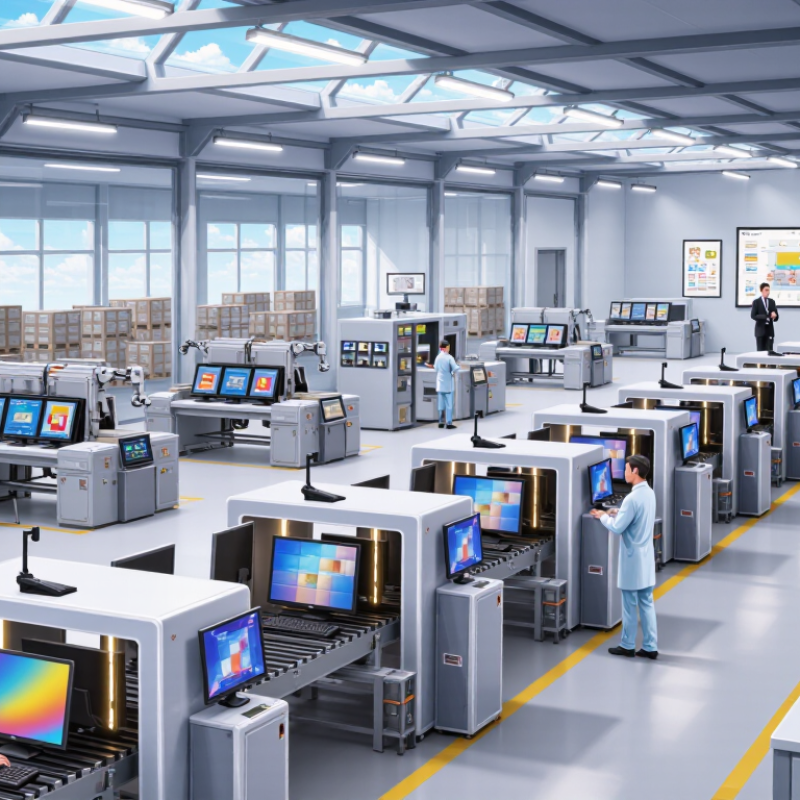
Look closely at the factory floor.

Request a video inspection or an independent audit. Confirm whether the factory owns its assembly lines or outsources critical processes. Review its monthly capacity, panel suppliers, warranty policy, and spare-parts support. TÜV Rheinland and SGS industry testing guidance can help buyers evaluate reliability and compliance requirements.

A low quotation can hide expensive compromises. Inexperienced sourcing teams may overlook firmware support, connector quality, or packaging protection. Even experienced buyers sometimes trust a perfect prototype too quickly. That is a weakness worth admitting. The best Touch Monitor Factory combines stable components, transparent communication, documented testing, and responsive after-sales service. The final decision should balance technical evidence, total cost, lead time, and long-term cooperation—not price alone.
How to Choose the Best Touch Monitor Factory?

Define Touch Monitor Requirements: Size, Brightness, IP Rating, and MTBF

Define the touch monitor’s working conditions before comparing factory quotes. A 10-inch panel may suit a control cabinet, while a 21-inch display gives operators more room for detailed diagrams. Measure the available cutout and viewing distance, then test the interface with gloves if operators wear them. Brightness needs depend on ambient light: around 250–350 cd/m² can work indoors, while brighter locations may need 700 cd/m² or more. These are practical starting points, not universal thresholds. Check the screen at the actual installation angle; glare can make a bright display difficult to read.

Specify ingress protection using IEC 60529 terminology. An IP65 rating indicates dust-tight protection and resistance to water jets, but it does not mean the monitor can be submerged. Ask the factory how the rating was tested, including whether the complete assembled unit—not just the front panel—was evaluated. This detail is easy to miss. Also confirm the touch surface, connectors, and cable exits match the installation environment.

Treat MTBF as a comparison figure, not a promised service life. MIL-HDBK-217F provides reliability-prediction methods, but results depend on assumptions such as temperature, component quality, and operating conditions. Request the calculation basis and test data, then compare units under similar conditions. A factory quoting a high MTBF without explaining its assumptions has not given enough evidence. Real operating temperature matters more than a tidy number on a datasheet.

Verify Factory Certifications: ISO 9001, ISO 14001, and IEC 62368-1

When choosing a touch monitor factory, check whether its certificates match the work it performs. ISO’s 2022 Survey of Management System Standard Certifications recorded over 1.26 million valid ISO 9001 certificates and about 530,000 ISO 14001 certificates worldwide. These figures show how widely quality and environmental systems are used; they do not prove that a particular factory builds reliable touch displays. Ask for current certificates, confirm the factory’s legal name and production site, and check that the stated scope covers design or manufacturing, not only sales. Small detail, big difference.

IEC 62368-1 addresses safety requirements for audio/video and information and communication technology equipment. For a touch monitor, ask which finished-product configuration was evaluated, including its power supply and enclosure. Request the test report or certificate details, then compare model numbers and document dates. A certificate for a related product may not cover the monitor you plan to order. Also ask how the factory controls incoming glass, touch sensors, and final inspection. Specific records are more useful than polished claims.

Tips: Request a recent audit summary and a sample inspection record. Check certificate validity with the issuing body where possible. Note any gaps; certification is helpful, but it is not a substitute for testing the actual unit.

How to Choose the Best Touch Monitor Factory?

Verify Factory Certifications: ISO 9001, ISO 14001, and IEC 62368-1

The chart shows when each standard was first published: ISO 9001 (1987), ISO 14001 (1996), and IEC 62368-1 (2010). These dates do not confirm a factory’s certification. Check that certificates are current and cover the specific manufacturing site, products, and activities relevant to your order.

Assess Touch Performance: 10-Point Multi-Touch and Response Under 10 ms

When evaluating a touch monitor factory, test the panel under real use, not just a specification sheet. Ten-point multi-touch means ten simultaneous contacts should register without dropped inputs. Ask for a live demonstration: place all ten fingers on the glass, draw separate lines, and check whether each line stays continuous. Repeat near the edges, where tracking can become less reliable. Small detail. Request test conditions, firmware version, and results from more than one unit.

A response time below 10 ms can feel immediate, but clarify what the figure measures. Is it touch-controller latency, or the full path from finger contact to visible screen change? These are not the same. Nielsen Norman Group’s response-time guidance describes 100 ms as the point at which an interaction generally feels instantaneous to users. That user-experience benchmark is not a measurement of touch-panel latency. Ask the factory to show its measurement method, equipment, and raw test results; otherwise, “under 10 ms” may be hard to verify.

For a practical check, tap a moving on-screen target and make quick diagonal strokes while recording the display in slow motion. Look for lag, broken lines, and false touches. Also test with dry and slightly damp fingers, if that matches your setting. I would not treat one impressive demo as proof; factory samples can differ from production units. Ask for a repeat test on random units from a production batch.

How to Choose the Best Touch Monitor Factory? — Assess Touch Performance: 10-Point Multi-Touch and Response Under 10 ms

Use this scorecard to compare factory specifications and test evidence. Acceptance targets are suggested evaluation criteria; confirm that they suit your application, operating system, and panel size.

Evaluation Dimension Suggested Acceptance Target How to Verify Evidence to Request from the Factory
Simultaneous touch points 10 points Place and move ten independent contacts simultaneously; check that every contact is reported without drops or unintended merging. Touch-controller specification and a live demonstration using the intended operating system.
Touch response time Under 10 ms Measure input-to-report latency under a documented test setup. Confirm whether the quoted figure is typical or maximum and how it is measured. Test method, measurement conditions, and a report identifying the tested panel and controller configuration.
Touch accuracy Within ±2 mm Tap calibration points distributed across the active area, including near the corners, and compare reported coordinates with actual contact positions. Accuracy test results covering the full active area and the specified cover glass.
Coordinate stability No visible jitter during a stationary touch Hold a contact still at the center and near the edges; observe coordinate movement and cursor stability. Recorded test output or demonstration using the production-intent touch assembly.
Edge and corner performance Consistent detection across the active area Repeat taps and drags along all four edges and through each corner; check for dead zones and distorted tracking. Area-coverage test results for the final bezel, panel, and cover-glass design.
Tracking continuity Continuous tracking during slow and fast drags Draw straight lines, curves, and diagonal strokes at different speeds; look for breaks, jumps, or unintended extra contacts. Demonstration video or test record using the intended firmware and interface.
Palm and accidental-touch handling Stable operation for the intended use case Test hand placement and incidental contact around the display while performing normal touch gestures. Documented settings or configuration options for palm rejection, if required by the application.
Environmental robustness Performance maintained under specified conditions Test touch operation at the temperature and humidity limits required for the product; check for false touches and missed inputs. Operating-condition specifications and test reports for the relevant configuration.
Interface and operating-system support Compatible with the required host interface and OS Connect the monitor to the target system and verify touch input, gestures, and wake behavior over the intended connection. Interface details, supported operating systems, and a compatibility demonstration.
Production consistency Performance verified on production-intent units Repeat the agreed touch tests on samples from a production-representative build rather than relying only on an engineering prototype. Inspection plan, sample test records, and the factory’s process for handling failed units.

Note: Response time and accuracy depend on the touch technology, controller, display size, cover glass, firmware, host system, and test method. Agree on test conditions and acceptance limits before production.

Compare Display Quality: 1,000+ nits, 1,000:1 Contrast, and 178° Viewing

How to Choose the Best Touch Monitor Factory?

Display quality should be verified under real operating conditions, not judged from a bright showroom demo. VESA’s DisplayHDR certification program includes a 1,000 cd/m² peak-luminance tier, a useful reference when evaluating bright-display claims. But peak brightness is not the same as sustained brightness. Ask the factory for measurements after the screen has warmed up, and check whether the figure applies across the whole panel. A reading taken only in a small test area can flatter the result.

Contrast matters when users read dark text or inspect images with subtle shading. A 1,000:1 ratio is a practical baseline to compare, but measurement methods and screen settings can change the result. Request the native contrast figure and the test conditions. The Information Display Measurements Standard (IDMS), published by the Society for Information Display, provides standardized methods for measuring display performance. Useful paperwork. Still, I would want to see the raw test report, not just a number on a specification sheet.

For wide installations, a 178° viewing-angle claim can indicate that the image remains usable off-center. It does not guarantee unchanged color or contrast at every angle. Ask for measurements at defined horizontal and vertical angles, using the same brightness and color settings. Then inspect a live unit from the side, with a gloved hand tapping near the edges. Small differences become obvious. A factory willing to explain its test setup—and admit where performance drops—offers more credible evidence than one promising perfect results.

Audit Production Capacity, Quality Control, Warranty, and Lead Times

Choosing the best touch monitor factory means checking what its records can prove, not just touring a tidy production line. Ask for monthly capacity by model, current utilization, and recent delivery performance. Then compare those figures with your forecast. A 2020 McKinsey survey found that 93% of supply-chain leaders planned to make their supply chains more resilient. That finding makes backup capacity and transparent supplier dependencies worth discussing. Ask how the factory handles a sudden component shortage. Request a sample production schedule, too.

Quality control should be visible at each stage: incoming glass and touch sensors, assembly, calibration, and final inspection. Review defect rates, test procedures, and corrective-action records. A factory’s inspection checklist matters less if nobody tracks repeat failures. Small details count: ask whether technicians test touch response across the full screen, and how they record dead pixels or calibration drift. You may not get a perfect answer on the first visit. Notice whether the team follows up with evidence.

Clarify warranty coverage in writing, including exclusions, repair turnaround, and who pays return shipping. Ask for historical failure and replacement data, not just a warranty length. For lead times, separate sample, pilot, and mass-production schedules, and confirm which components can extend them. McKinsey’s 2020 survey also reported that 85% of respondents struggled with insufficient visibility into their supply chains. Request milestone updates and escalation contacts before placing an order. A spreadsheet can look reassuring; verify it against recent shipments.

Certified Quality System

© North Easton Machine Company, Inc. All rights reserved. • Site: Blog
NORTH EASTON MACHINE • 218 Elm Street • North Easton, MA 02356 • 508-238-6219